Set up in ChatGPT
ChatGPT takes custom MCP servers in Settings → Plugins: add the server URL, sign in with your Zeydoo login, restart — done. Once connected, the assistant can query your Zeydoo data on your behalf.
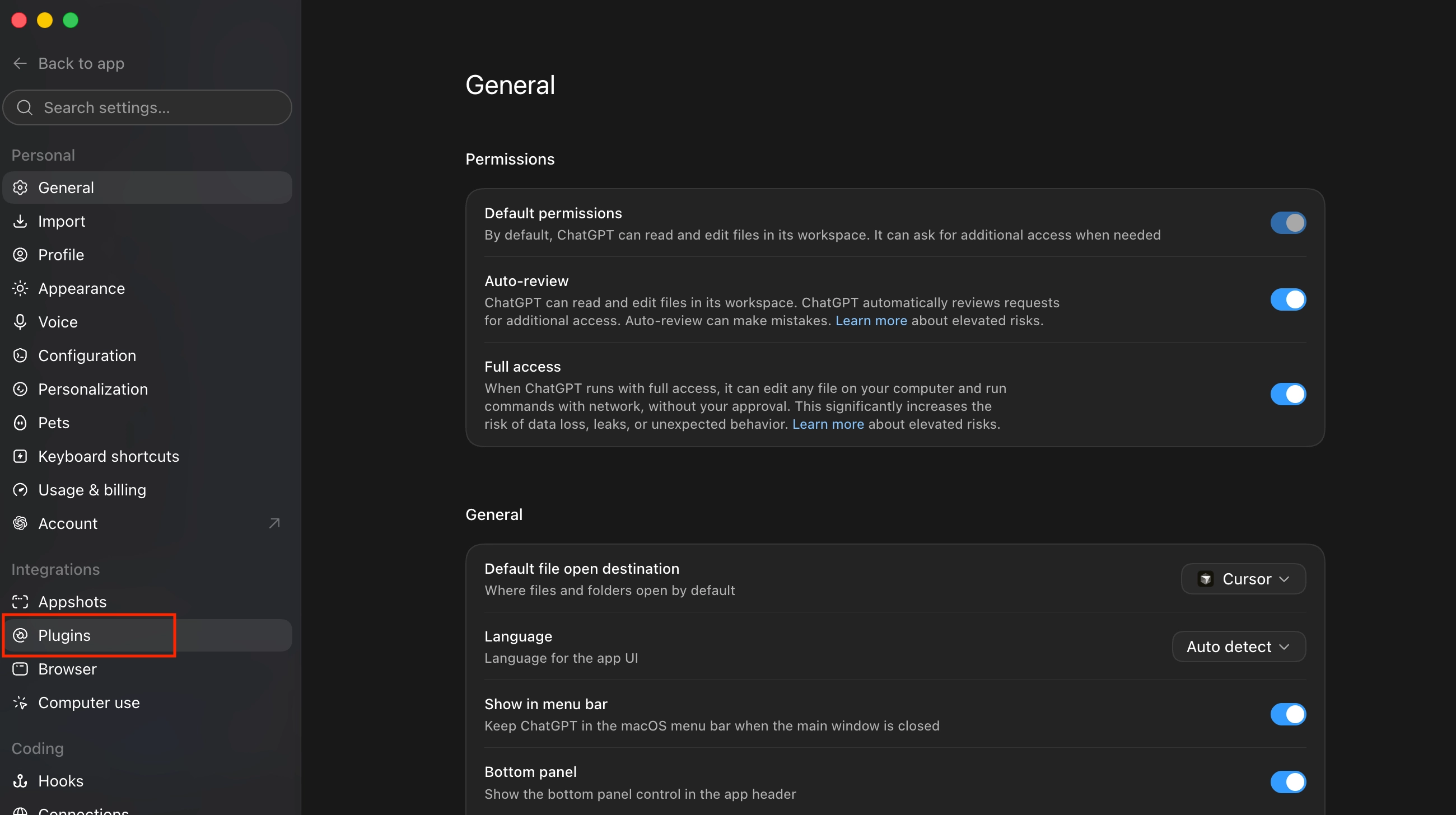
Open ChatGPT Settings and select Plugins in the sidebar, under Integrations.
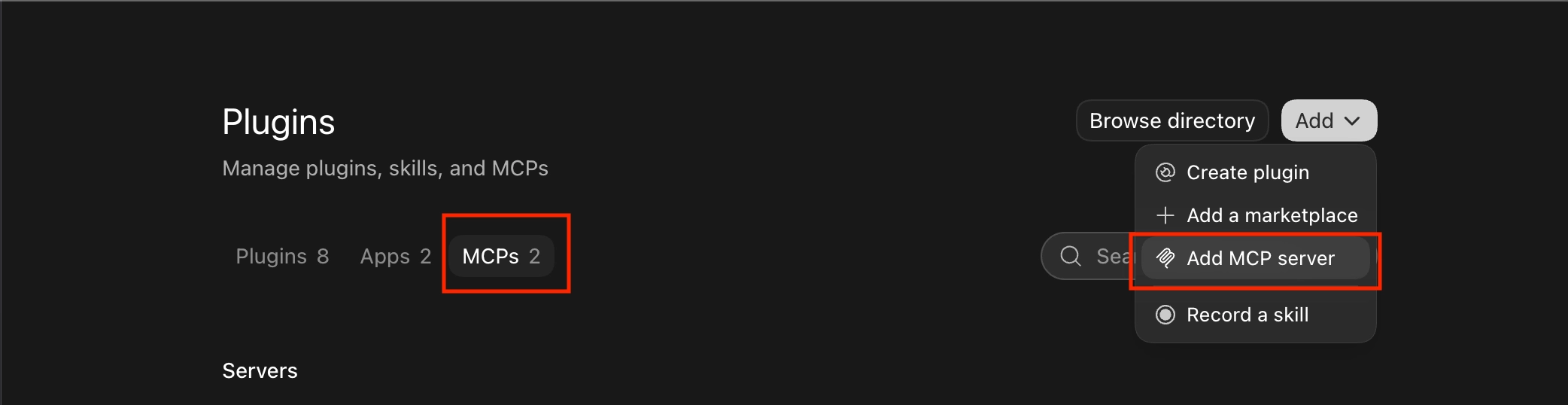
Switch to the MCPs tab, click Add in the top-right corner, then choose Add MCP server.
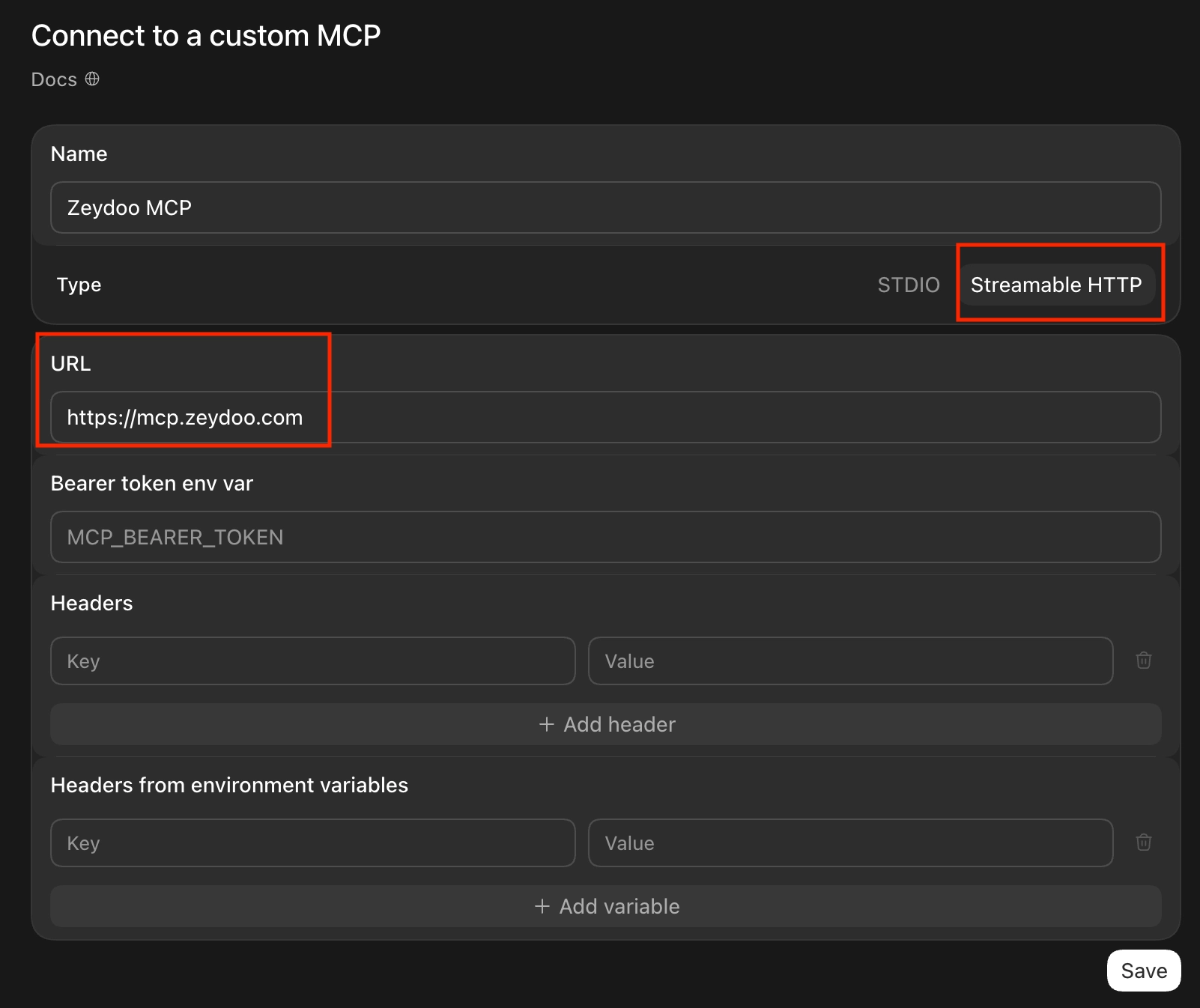
Fill in the form:
- Name:
Zeydoo MCP - Type:
Streamable HTTP - URL:
https://mcp.zeydoo.com - Leave the token, header, and variable fields empty
- Name:
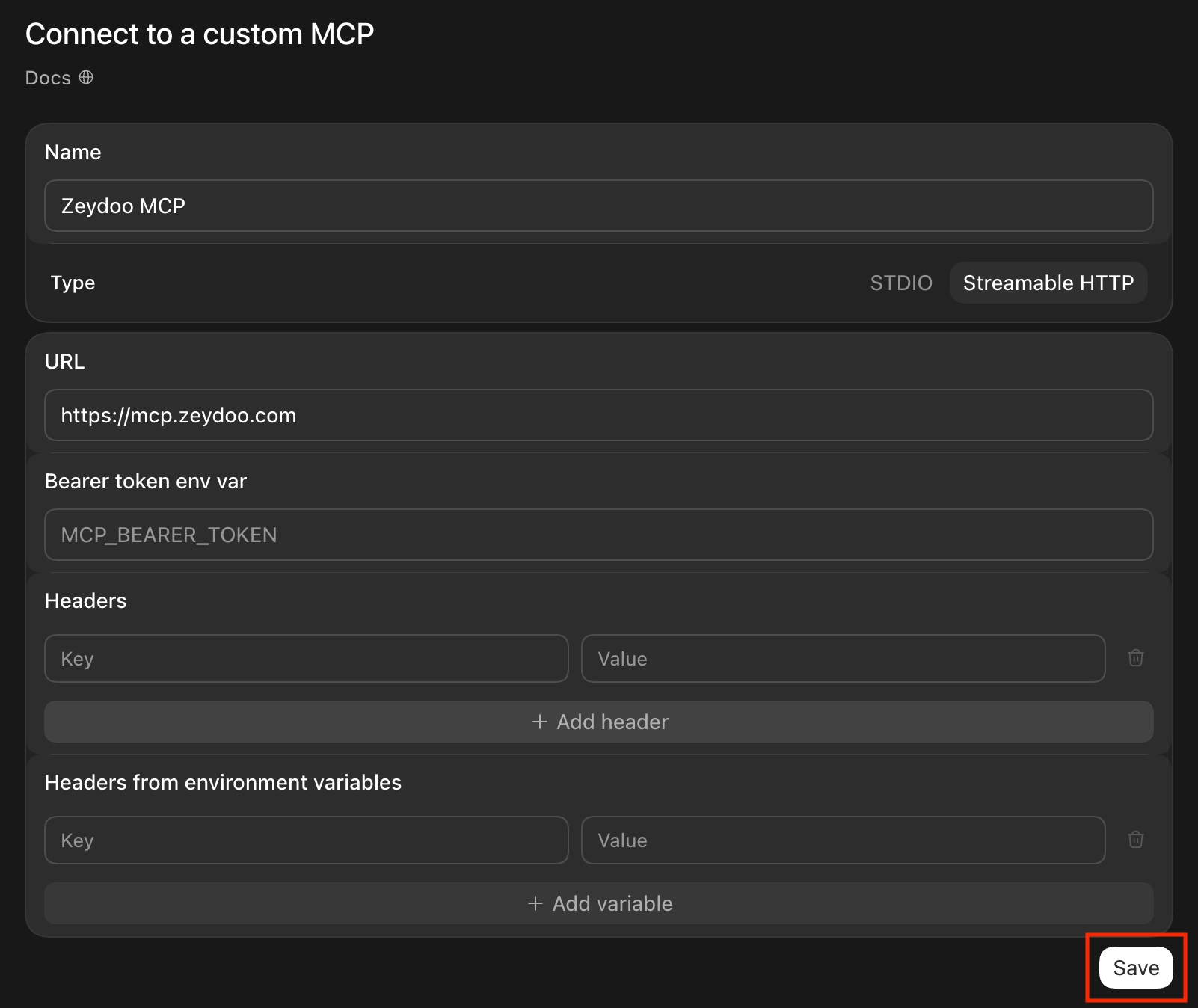
Click Save.
Click Authenticate next to the new server. You'll be taken to the Zeydoo site — sign in with your usual credentials.

Click Restart so the changes take effect. The Zeydoo tools are then available in your chats.
